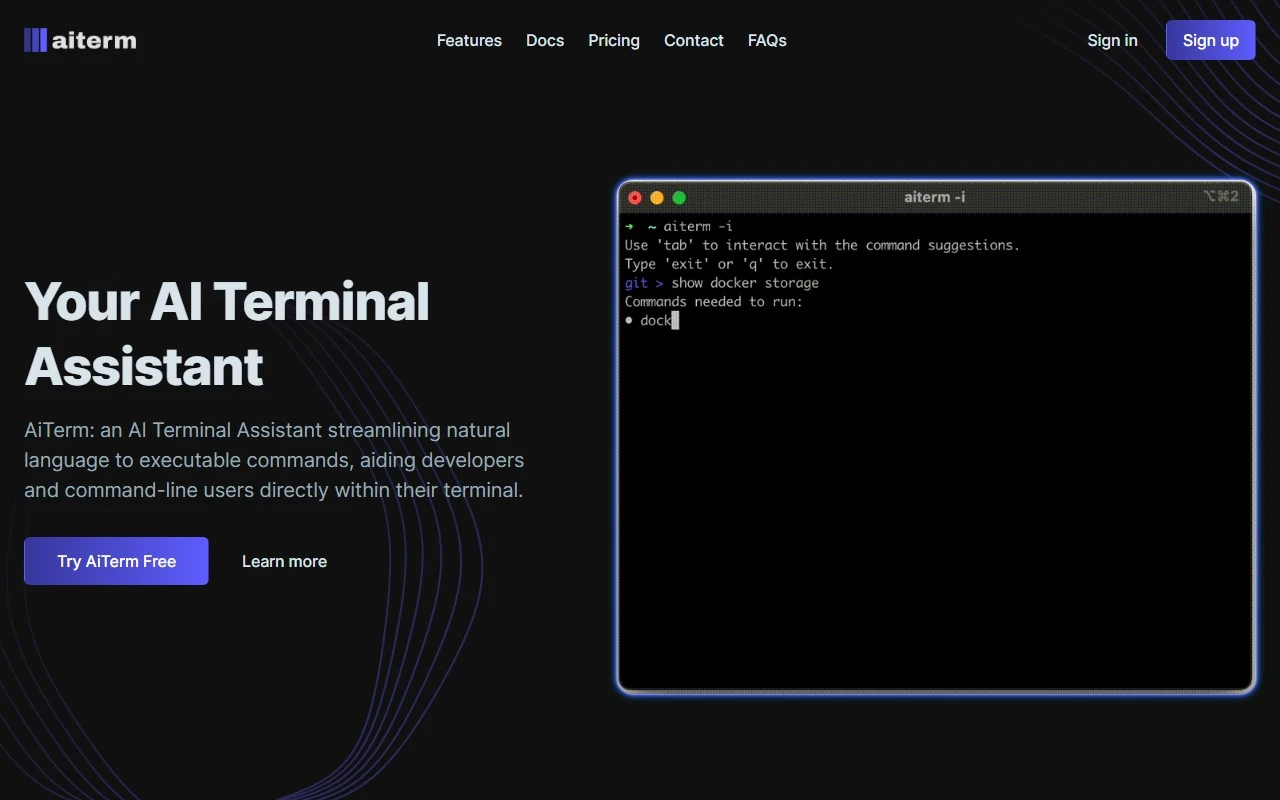
AiTerm: Your AI-Powered Terminal Assistant, Reviewed
If you’ve ever found yourself staring at a terminal, Googling commands, or scrolling through endless documentation, AiTerm is here to change the game. As an AI-powered terminal assistant, AiTerm is designed to make your command-line experience smoother, faster, and more intuitive. Whether you’re a seasoned developer or just starting to explore the world of terminals, AiTerm is a tool that can genuinely elevate your workflow.
What is AiTerm?
AiTerm is like having a personal assistant for your terminal. It uses advanced AI to convert natural language into executable commands, eliminating the need to memorize complex syntax or waste time searching for the right command. Simply tell AiTerm what you want to do in plain English, and it will handle the rest.
For example, instead of racking your brain to remember the exact syntax for finding files modified in the last 7 days, you can just type something like, “Show me all files modified in the last week,” and AiTerm will generate the correct find or ls command for you.
How to Get Started with AiTerm
Getting started is a breeze:
- Install AiTerm and integrate it with your terminal.
- Start typing natural language commands to perform tasks.
- Enjoy on-demand documentation, examples, and usage tips right in your terminal.
You can sign up for AiTerm here or log in if you’re already a user here.
Core Features That Make AiTerm Stand Out
- AI-Powered Command Analysis: AiTerm’s AI engine understands your intent and converts it into precise, executable commands. No more guessing or trial-and-error.
- On-Demand Documentation: Get instant explanations, usage tips, and examples for any command. It’s like having a built-in cheat sheet.
- Personal Assistant for Command Lines: Whether you’re managing files, deploying code, or debugging, AiTerm is there to guide you.
- Boosted Productivity: Skip the typing with writeless command execution. Focus on what you need to do, not how to do it.
Real-World Use Cases
Here’s how AiTerm can transform your workflow:
- For Developers: Streamline repetitive tasks like file management, version control, or server configurations.
- For Command-Line Users: Quickly complete tasks without needing to memorize or look up commands.
- For Teams: Improve collaboration by reducing the learning curve for new terminal users.
Frequently Asked Questions
-
How does AiTerm convert natural language into commands?
AiTerm uses advanced natural language processing (NLP) to interpret your intent and match it with the appropriate command syntax. -
Can AiTerm provide documentation for any command?
Yes! AiTerm offers on-demand documentation for a wide range of commands, complete with examples and tips. -
Is AiTerm compatible with all terminals?
AiTerm is designed to work seamlessly with most popular terminal environments. -
Can AiTerm handle complex commands?
Absolutely. AiTerm is built to understand and execute multi-step or complex commands with ease.
Connect with AiTerm
Stay updated with the latest news, tips, and updates from AiTerm:
- Follow AiTerm on LinkedIn
- Join the conversation on Twitter
- Check out their Instagram for behind-the-scenes content
Final Thoughts
AiTerm isn’t just another tool—it’s a game-changer for anyone who spends time in the terminal. By bridging the gap between natural language and command-line syntax, it saves time, reduces frustration, and makes the terminal more accessible for everyone. If you’re ready to supercharge your productivity, give AiTerm a try. You’ll wonder how you ever worked without it.