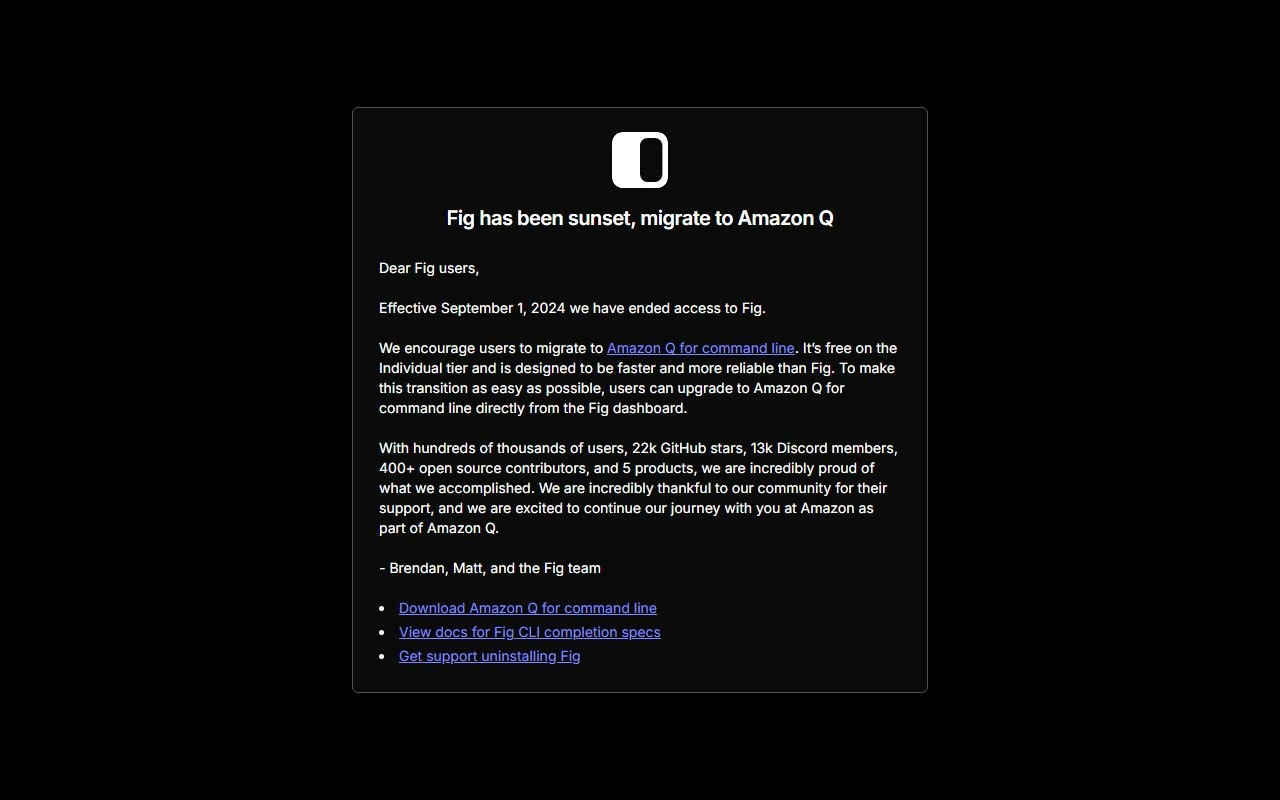
Fig: The Ultimate Command Line Companion for Teams
If you’ve ever felt bogged down by the complexities of managing secrets, scripts, and SSH credentials, Fig is here to revolutionize your command line experience. As a next-generation CLI tool, Fig is designed to be the single source of truth for your team’s most critical workflows. Whether you’re a solo developer or part of a large engineering team, Fig’s robust feature set will make your terminal sessions faster, smarter, and more secure.
What Makes Fig Stand Out?
Fig isn’t just another CLI tool—it’s a productivity powerhouse. Here’s what it brings to the table:
- Autocomplete for 500+ CLI Tools: Say goodbye to memorizing commands. Fig’s autocomplete integrates seamlessly with your existing terminal, offering intelligent suggestions for everything from
gittokubectl. - Interactive Terminal UIs: Building internal CLI tools has never been easier. Fig’s interactive UIs make it simple to create and distribute tools within your team.
- Secure SSH Access: Manage and access SSH servers with confidence, whether you prefer a GUI or CLI.
- Dotfile Syncing: Keep your dotfiles in sync across all your devices. Edit, share, and collaborate effortlessly.
- Shell Plugin Management: Whether you’re using
zsh,bash, orfish, Fig helps you manage and sync your shell plugins with ease.
Getting Started with Fig
Getting Fig up and running is a breeze. Simply run brew install fig or explore other download options. Once installed, Fig integrates directly into your terminal, enhancing your workflow without any steep learning curve.
Real-World Use Cases
Here’s how Fig can transform your command line experience:
- Boost Productivity: Autocomplete and interactive UIs cut down on repetitive tasks, letting you focus on what matters.
- Collaborate Seamlessly: Share shell aliases, environment variables, and dotfiles with your team effortlessly.
- Build Internal Tools: Create and distribute CLI tools tailored to your team’s needs.
- Secure SSH Access: Manage SSH credentials securely, whether you’re working locally or remotely.
- Sync Across Devices: Keep your dotfiles and shell configurations consistent, no matter which machine you’re on.
- Manage Shell Plugins: Easily install, update, and sync plugins for
zsh,bash, andfish.
Frequently Asked Questions
- Is Fig free to use? Yes, Fig is free to download and use.
- Can Fig integrate with different terminals and shells? Absolutely! Fig works with
zsh,bash, andfish, and integrates seamlessly with most terminals. - Is Fig secure and private? Fig prioritizes security and privacy, ensuring your data is always protected.
- How can Fig benefit my team? Fig streamlines workflows, enhances collaboration, and reduces friction in command line operations.
- Can I contribute to Fig? Yes! Fig is open-source, and contributions are welcome. Check out their GitHub repository to get started.
Support and Contact
Got questions or need assistance? Fig’s support team is here to help. Reach out via their contact page for general inquiries, customer service, or refund requests.
Why Choose Fig?
Fig isn’t just a tool—it’s a game-changer for anyone who spends time in the terminal. Its blend of autocomplete, interactive UIs, and secure credential management makes it an indispensable part of any developer’s toolkit. Whether you’re looking to streamline your workflow, collaborate more effectively, or simply make your terminal sessions more enjoyable, Fig delivers.
Ready to elevate your command line experience? Download Fig today and see the difference for yourself!