Online Audio Converter: Your Go-To Tool for Audio File Conversion
If you’ve ever needed to convert an audio file or extract music from a video, you’ve probably searched for a quick, reliable, and user-friendly solution. That’s where Online Audio Converter comes in. This web-based tool is a game-changer for anyone working with audio files, whether you’re a podcaster, musician, or just someone looking to organize their media library.
What is Online Audio Converter?
Online Audio Converter is a versatile, web-based tool designed to make audio file conversion a breeze. It supports over 300 audio formats, including popular ones like MP3, WAV, M4A, and FLAC. But it doesn’t stop there—this tool also lets you extract audio from video files, making it perfect for grabbing background music or converting video soundtracks into standalone audio files. Plus, it offers advanced editing options like adjusting bitrate, sample rate, and channels, so you can fine-tune your audio to meet your specific needs.
How to Use Online Audio Converter
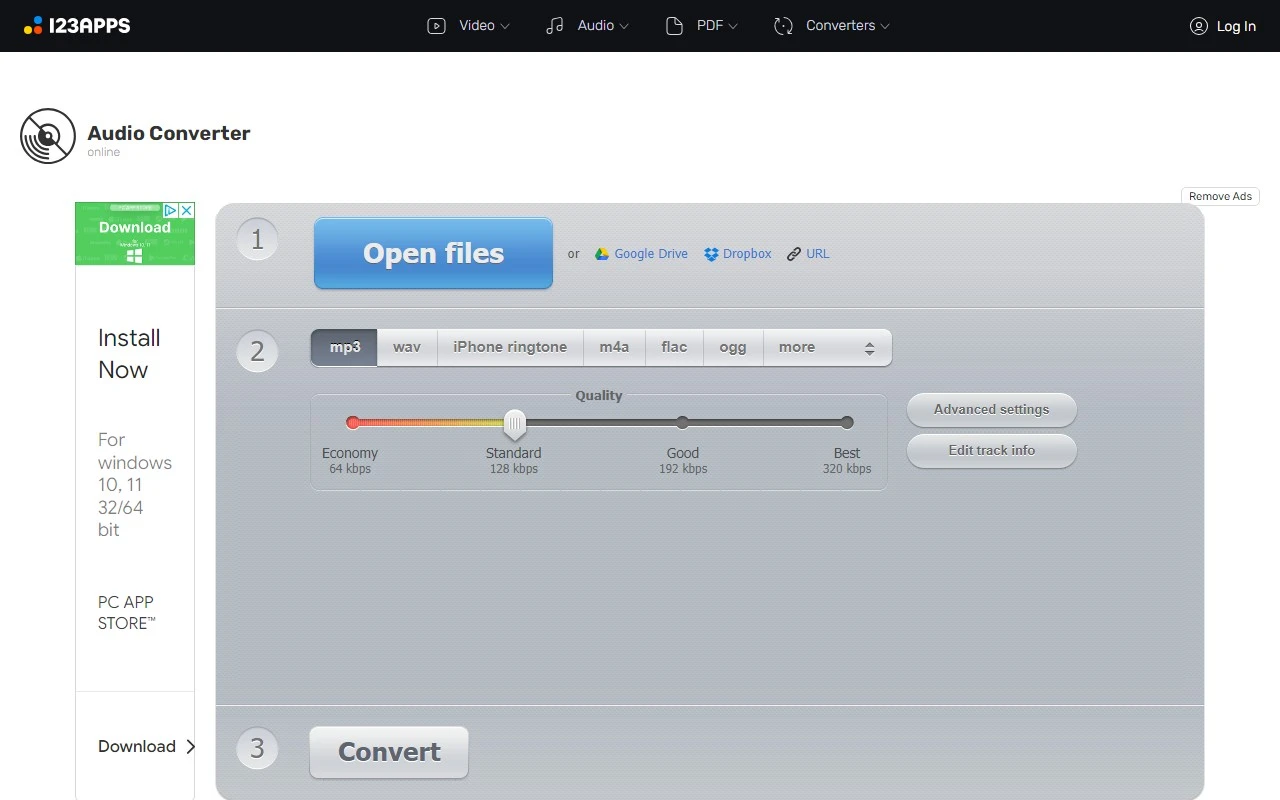
Using Online Audio Converter is as simple as it gets. Here’s a quick step-by-step guide:
- Upload Your File: Drag and drop your audio or video file into the converter.
- Choose Your Format: Select the desired audio format (e.g., MP3, WAV) and adjust the quality settings if needed.
- Convert and Download: Hit the “Convert” button, and within moments, your file will be ready to download.
No software installation is required, and the process is lightning-fast. It’s perfect for both quick one-off conversions and more complex projects.
Core Features That Set It Apart
What makes Online Audio Converter stand out from the crowd? Here are some of its standout features:
- Supports Over 300 Formats: Whether you’re working with obscure formats or mainstream ones, this tool has you covered.
- Audio Extraction from Video: Need to extract a song from a YouTube video or a movie clip? This feature is a lifesaver.
- Batch Conversion: Convert multiple files at once to save time and streamline your workflow.
- Advanced Editing Options: Customize your audio with settings like bitrate, sample rate, and more.
- Tag Support: Edit metadata like artist name, album, and track number directly within the tool.
Real-World Use Cases
Here are some practical scenarios where Online Audio Converter shines:
- Convert Video Audio Tracks to MP3: Turn your favorite movie or YouTube video soundtracks into MP3 files for offline listening.
- Extract Background Music: Pull the background score from a video to use in your own projects.
- Batch Convert Multiple Files: Organize your audio library by converting all files to a consistent format in one go.
FAQ: Your Questions Answered
-
Is Online Audio Converter free to use?
Yes, the basic version is free, but premium features are available for those who need more advanced capabilities. Check out the pricing page for details. -
How long do you keep my uploaded files?
Your files are deleted shortly after conversion to ensure privacy and security. -
Can I convert files larger than 10 GB?
Yes, but larger files may require a premium subscription.
Support and Contact Information
Need help or have questions? The Online Audio Converter team is here to assist. You can reach them via email at [email protected] or visit the contact us page for more options. For refund inquiries, the same contact channels apply.
About the Company
Online Audio Converter is developed by 123apps, a trusted name in online tools and utilities. To learn more about the company and its mission, visit the about us page.
Get Started Today
Ready to give Online Audio Converter a try?
- Log in here: Login Link
- Sign up here: Sign Up Link
Whether you’re a casual user or a professional, Online Audio Converter is a powerful, easy-to-use tool that simplifies audio file conversion. Try it out today and see how it can transform your workflow!