Sketch2scheme: The AI-Powered Diagram Wizard
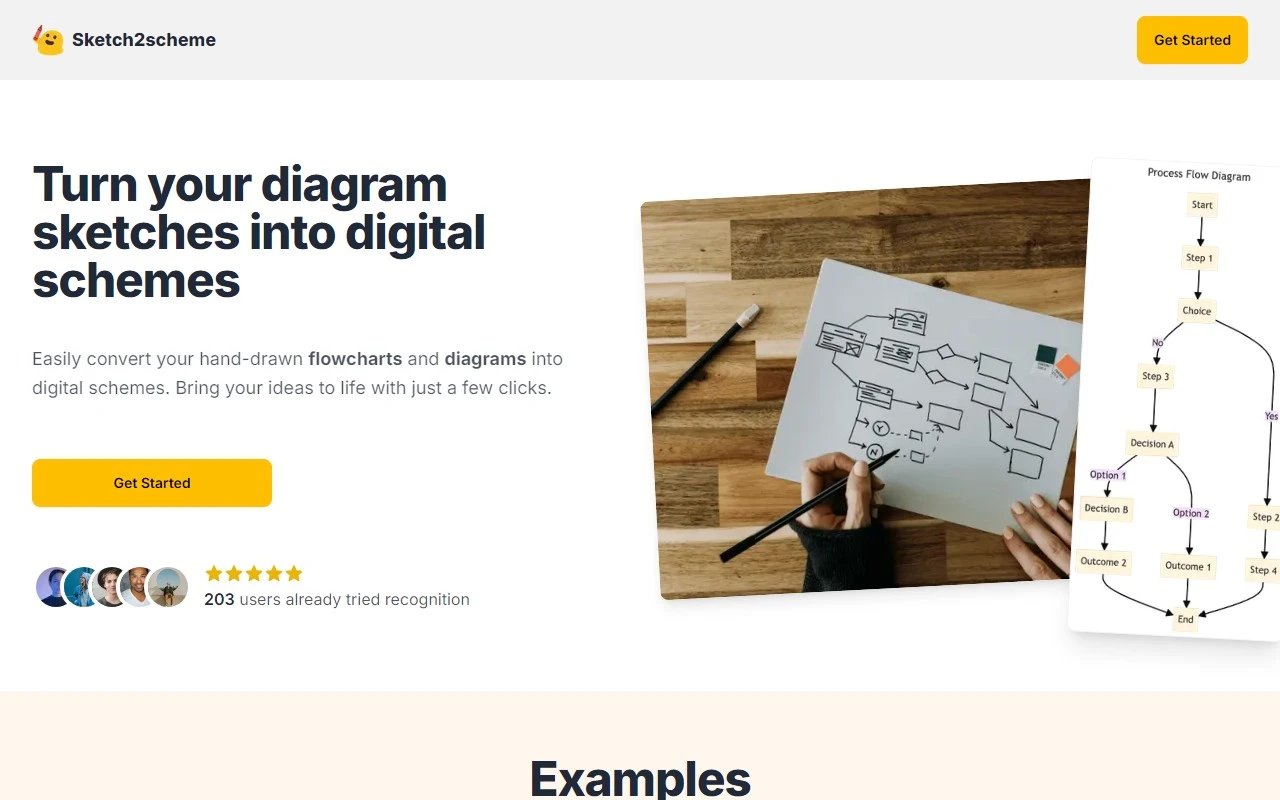
If you’ve ever struggled with turning your hand-drawn sketches into polished digital diagrams, Sketch2scheme is here to save the day. This innovative AI tool is designed to effortlessly convert your scribbles into professional, editable digital formats. Whether you’re a designer, engineer, or just someone who loves sketching out ideas, Sketch2scheme streamlines the process with its intuitive features and seamless workflow.
How Does Sketch2scheme Work?
Using Sketch2scheme is as easy as 1-2-3. Here’s how it works:
- Upload Your Sketch: Simply take a photo or scan your hand-drawn flowchart or diagram and upload it to the platform.
- Let the AI Work Its Magic: The tool’s advanced AI recognizes nodes, connections, and even handwritten text, then auto-arranges everything into a clean, organized layout.
- Export or Edit: Once processed, you can export your diagram in multiple formats, including PNG, SVG, and PDF. You can also dive deeper by editing it with Draw.io or generating Mermaid code for further customization.
Core Features That Make Sketch2scheme Stand Out
Sketch2scheme isn’t just another diagram tool—it’s packed with features that make it a game-changer:
- AI-Powered Conversion: Say goodbye to manual tracing. The AI accurately interprets your sketches and transforms them into digital formats.
- Node and Connection Recognition: It intelligently identifies the structure of your diagram, ensuring everything is connected just as you intended.
- Handwritten Text Recognition: Even your scribbled notes are detected and converted into editable text.
- Auto-Arrangement: No more fiddling with alignment—the tool automatically organizes your elements for a polished look.
- Multi-Format Export: Whether you need a high-res image, a vector file, or a PDF, Sketch2scheme has you covered.
- Draw.io and Mermaid Compatibility: Seamlessly integrate with these popular tools for advanced editing and coding.
Real-World Use Cases
Sketch2scheme isn’t just a cool tool—it’s incredibly practical. Here are some ways it can make your life easier:
- Turn Sketches into Flowcharts: Quickly digitize brainstorming sessions or whiteboard diagrams for presentations or reports.
- Save Time and Effort: Skip the tedious manual conversion process and let AI handle the heavy lifting.
- Collaborate with Ease: Share editable digital diagrams with your team or clients for faster feedback and revisions.
Frequently Asked Questions
Can Sketch2scheme recognize handwritten text in diagrams?
Absolutely! The AI is trained to detect and convert handwritten text into editable digital text.
Is there a limit to the file size that Sketch2scheme can process?
For the best results, keep your files under 10MB. If you have larger files, consider compressing them before uploading.
Pricing and Support
Sketch2scheme offers flexible pricing plans to suit your needs. Check out the Pricing Page to find the right option for you.
Need help? The Sketch2scheme team is just an email away. Reach out to them at [email protected] for customer service, refund inquiries, or general support.
Final Thoughts
Sketch2scheme is a must-have tool for anyone who works with diagrams. Its AI-driven approach saves time, reduces frustration, and delivers professional results. Whether you’re converting a quick sketch or refining a complex flowchart, this tool makes the process smooth and efficient. Give it a try—you’ll wonder how you ever managed without it!
Ready to transform your sketches? Visit Sketch2scheme today and see the magic for yourself.