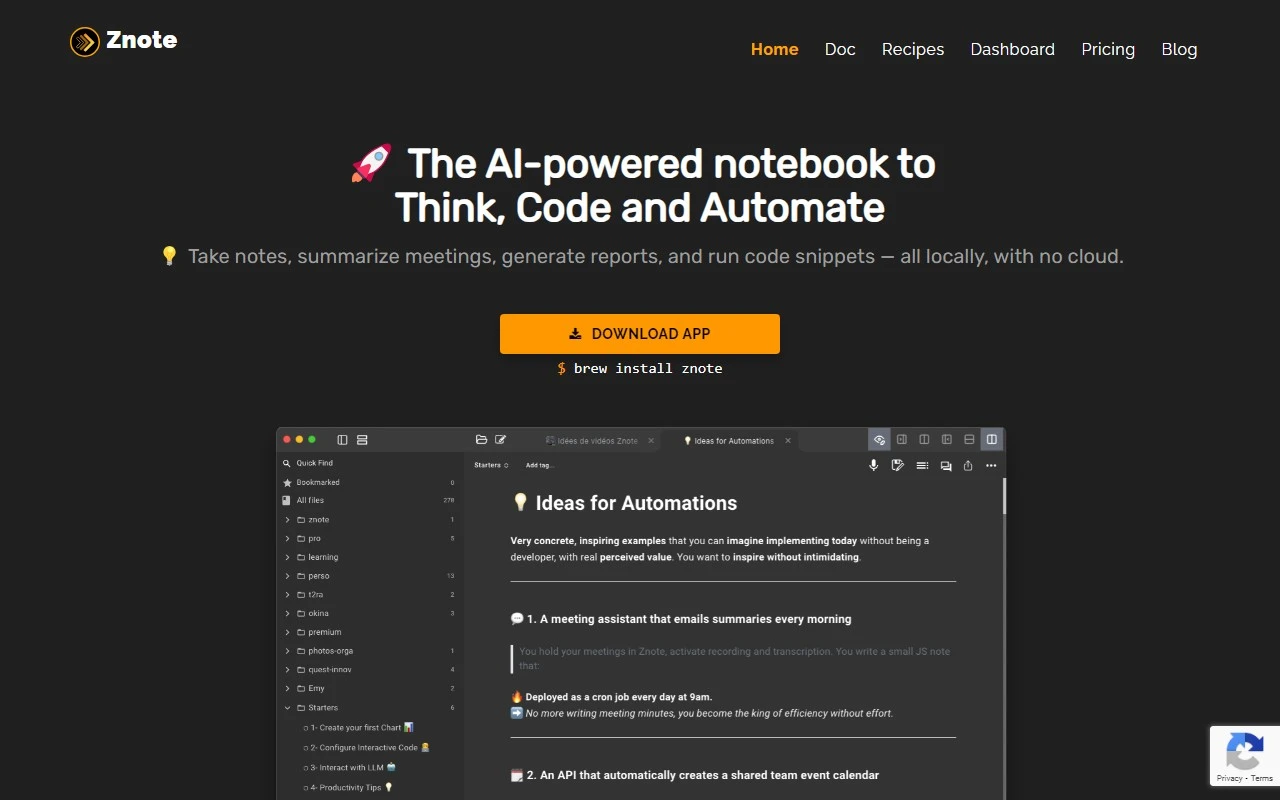
Znote: The Note-Taking App That Turns Ideas Into Micro Apps
If you’re tired of juggling between note-taking apps, prototyping tools, and automation platforms, Znote might just be the game-changer you’ve been waiting for. Znote isn’t just another note-taking app—it’s a productivity powerhouse that transforms your notes into functional micro apps. Whether you’re organizing personal notes, prototyping ideas, or automating tasks, Znote brings everything under one roof.
What Makes Znote Stand Out?
Znote is designed for creators, developers, and productivity enthusiasts who want to do more with their notes. Here’s what sets it apart:
- Turn Notes Into Micro Apps: Znote lets you prototype and deploy micro apps directly from your notes using Markdown and JavaScript. Imagine jotting down an idea and turning it into a functional app in minutes.
- Custom Code Completion: Whether you’re working with JavaScript, Bash, Shell, or SQL, Znote’s syntax highlighting and code completion make coding a breeze.
- Secure Your Files: Protect sensitive data with password-locked files, ensuring your notes and apps are safe from unauthorized access.
- Keyboard-Friendly Interface: Navigate, find, and run your notes like a pro—no mouse required. Perfect for keyboard enthusiasts who value speed and efficiency.
- Automate and Connect: Use Znote’s pre-defined recipes to manipulate third-party services, automate browser actions, and even create dashboards for HTML pages and React apps.
How to Use Znote: A Quick Guide
Getting started with Znote is simple:
- Download the App: Available for Windows, macOS, and Linux, Znote’s desktop app is your gateway to smarter note-taking.
- Start Creating: Use Markdown and JavaScript to write notes, prototype ideas, and organize them into categories.
- Prototype and Deploy: Run small pieces of code, make SQL queries, or create browser automations—all within the app. Preview your micro apps before deploying them online with Znote’s Platform-as-a-Service (PAAS).
Core Features That Make Znote a Must-Have
- Linked Notes: Create connections between notes for seamless navigation and dashboard creation.
- Code Execution: Run JavaScript, Bash, or Shell code snippets to test and deploy micro apps.
- Third-Party Integrations: Manipulate services like APIs, databases, and more using Znote’s pre-defined recipes.
- Browser Automation: Save time by automating repetitive web browser actions.
- Instant Previews: See logs, HTML pages, forms, React apps, charts, and datatables in real-time before deployment.
Real-World Use Cases for Znote
- Personal Note Organization: Keep your thoughts, tasks, and ideas neatly organized in one place.
- Idea Prototyping: Turn rough ideas into functional prototypes without switching tools.
- Task Automation: Automate repetitive tasks using Znote’s browser automation and third-party integrations.
- Dashboard Creation: Build and share dashboards for monitoring data, visualizing metrics, or displaying React apps.
- Mini Web App Development: Quickly develop and deploy small web apps for personal or professional use.
Frequently Asked Questions
- What programming languages are supported? Znote supports JavaScript, Bash, Shell, SQL, and more with custom code completion.
- Can I password-protect my files? Yes, Znote allows you to lock files with a password for added security.
- Can I run code snippets? Absolutely! Znote lets you execute JavaScript, Bash, and Shell code directly within the app.
- Does Znote support Markdown and JavaScript? Yes, you can write notes using Markdown and prototype micro apps with JavaScript.
- Can I connect third-party services? Znote’s pre-defined recipes make it easy to manipulate APIs, databases, and other services.
- Is there a preview option? Yes, you can preview logs, HTML pages, React apps, and more before deployment.
- Can I deploy my micro apps? Znote’s PAAS lets you deploy your apps with just one click.
About Znote and Pricing
Znote is developed by Anthony Lagrede Consulting, a name synonymous with innovation and productivity. To explore pricing plans, visit the official Znote Pricing Page.
Connect with Znote
- LinkedIn: Anthony Lagrede
- Twitter: @alagrede
- GitHub: Znote App Discussions
Znote isn’t just a tool—it’s a productivity revolution. Whether you’re a developer, a project manager, or just someone who loves to stay organized, Znote empowers you to turn your ideas into action. Ready to elevate your note-taking game? Give Znote a try today!